
Automation
Turn policies into actions – automate at scale
Configure triggers, conditions, and outcomes without writing a line of code.
Strategic positioning
Orqit delivers policy-first automation that lets non-developers define triggers, conditions, and actions in a visual editor while preserving enterprise governance.
Who this is for
- Operations engineers building repeatable tasks
- Process owners defining policy triggers
- IT managers seeking to reduce manual toil
Operational pain points
-
Repetitive manual steps Engineering capacity consumed by the same triage tasks daily.
-
Inconsistent policy execution Teams apply rules differently without a central engine.
-
No execution visibility Hard to audit what automated actions actually ran.
-
Code-only automation Scaling automation requires scarce developer time.
Execution-aware ITSM
See the full impact chain—not just the symptom
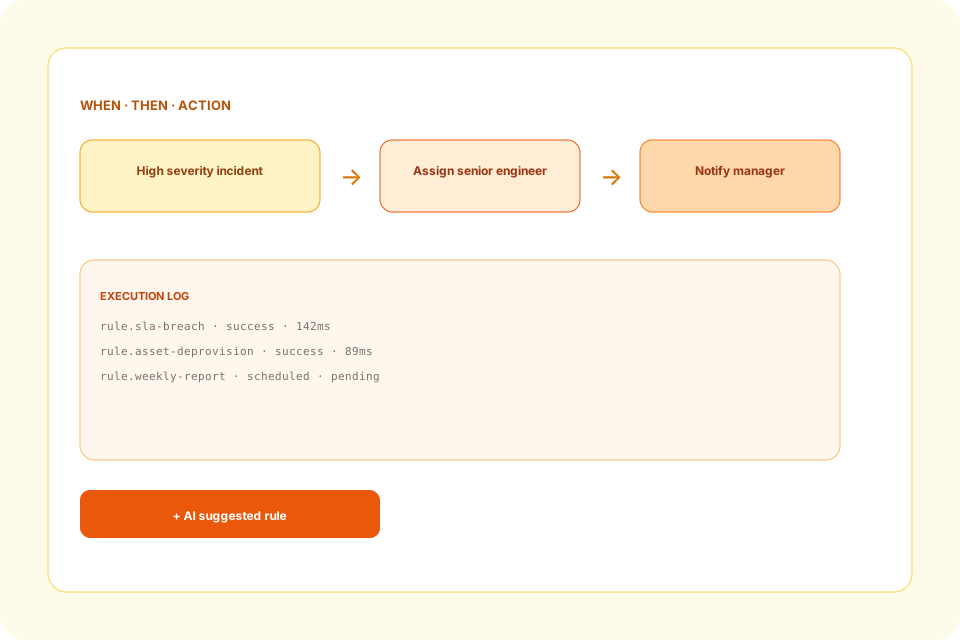
Users define automation rules using a declarative UI: e.g., when a high-severity incident is opened, assign to senior engineer and notify manager. The engine evaluates events in real-time, applies conditions, and executes actions via secure connectors. All automations are versioned and auditable.

Capabilities
Platform capabilities
Policy-first automation for operations engineers, process owners, and IT managers reducing manual toil.
Event Hub
Captures changes from ITSM, Asset, Approvals, and external webhooks.
Rule Builder
Drag-and-drop conditions, actions, and timing.
AI-Suggested Rules
Recommendations based on historical patterns.
Audit Trail
Immutable logs of rule execution for compliance.
Retry & Escalation
Configurable error handling and fallback actions.
Workflow examples
How incidents move through Orqit
-
1
SLA Breach Alert
Trigger when incident SLA is at risk; auto-create approval for resources.
-
2
Asset De-provision
On termination, revoke access and decommission hardware automatically.
-
3
Weekly Report Generation
Schedule analytics query and email report to stakeholders.
-
4
Security Patch Enforcement
Vulnerability scan flags a host; patch workflow triggers.
Operational benefits
Outcomes your teams will feel
Less manual triage
Automate routing, reminders, and handoffs that lived in inboxes.
Audit readiness
Full visibility into every automated action.
AI-assisted authoring
Capture automation intent quickly with suggested rules.
Faster compliance
Remediation proceeds with fewer manual interventions.
Governance & security
Built for audit and least-privilege
- Each rule must pass an approval gate before activation.
- Execution context runs with least-privilege service accounts.
- All rule definitions are stored with digital signatures.
AI usage
Co-pilot within your guardrails
AI analyses event patterns to recommend new automation rules and optimizes existing rule conditions for performance.
Analytics visibility
Operational dashboards that executives trust
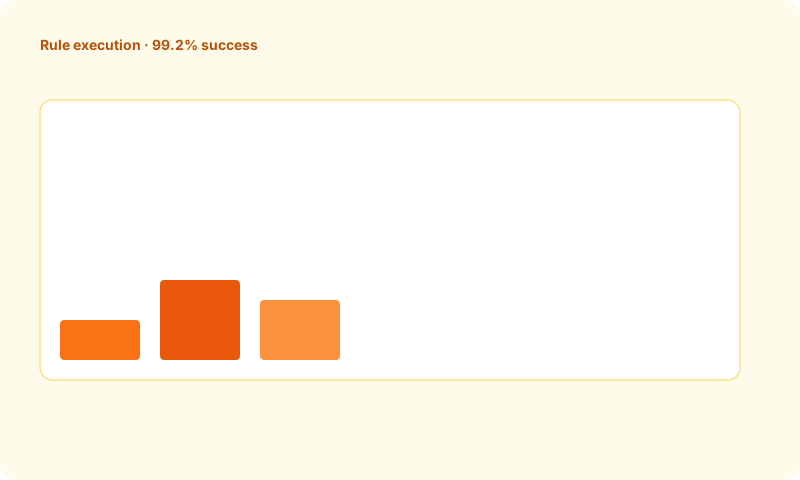
Dashboard shows rule execution count, success/failure ratio, and average latency.
Integrations
Connects to your stack
Slack
Microsoft Teams
 Jira
Jira
 ServiceNow
FAQ
Common questions
Can automation be scoped per department?
Yes – RBAC allows rules to be limited to specific organizational units.
How are failures handled?
Configurable retries, dead-letter queues, and escalation notifications.
Ready to modernize IT operations?
Launch a pilot workspace or book a walkthrough with our team.